


STAY UPDATED

What's new!

Everything you need to know, all in one place. Get the latest announcements and the first look at our most recent features and releases.

Q2 2026 Update Checkmyfile & 360 Office

Checkmyfile

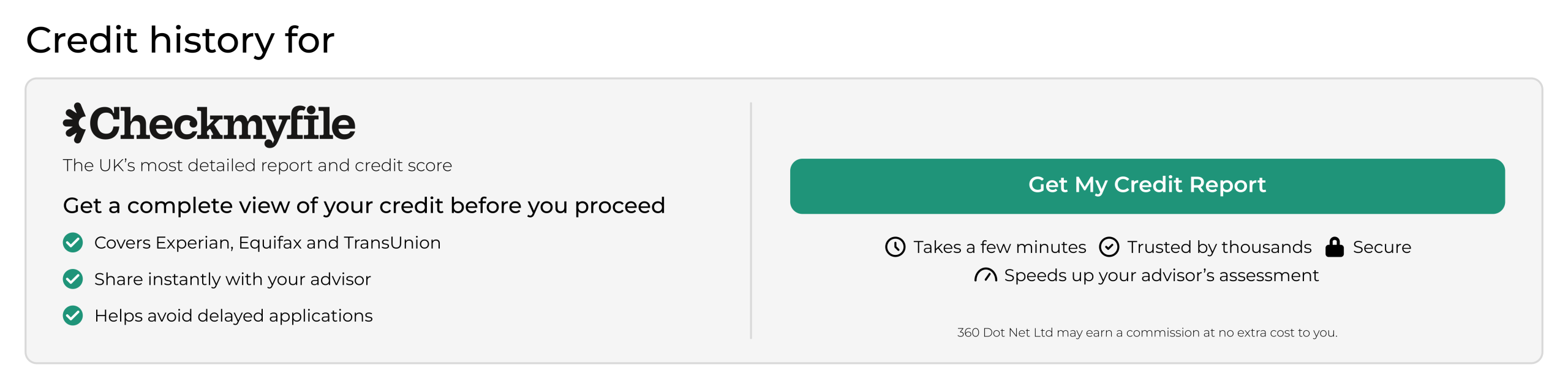
• We have a new credit reporting provider Checkmyfile.
• This ensures clients have access to Experian, Equifax and TransUnion in one place.
• In the online FactFind clients can now download their own credit file and send it to their adviser.


How to:
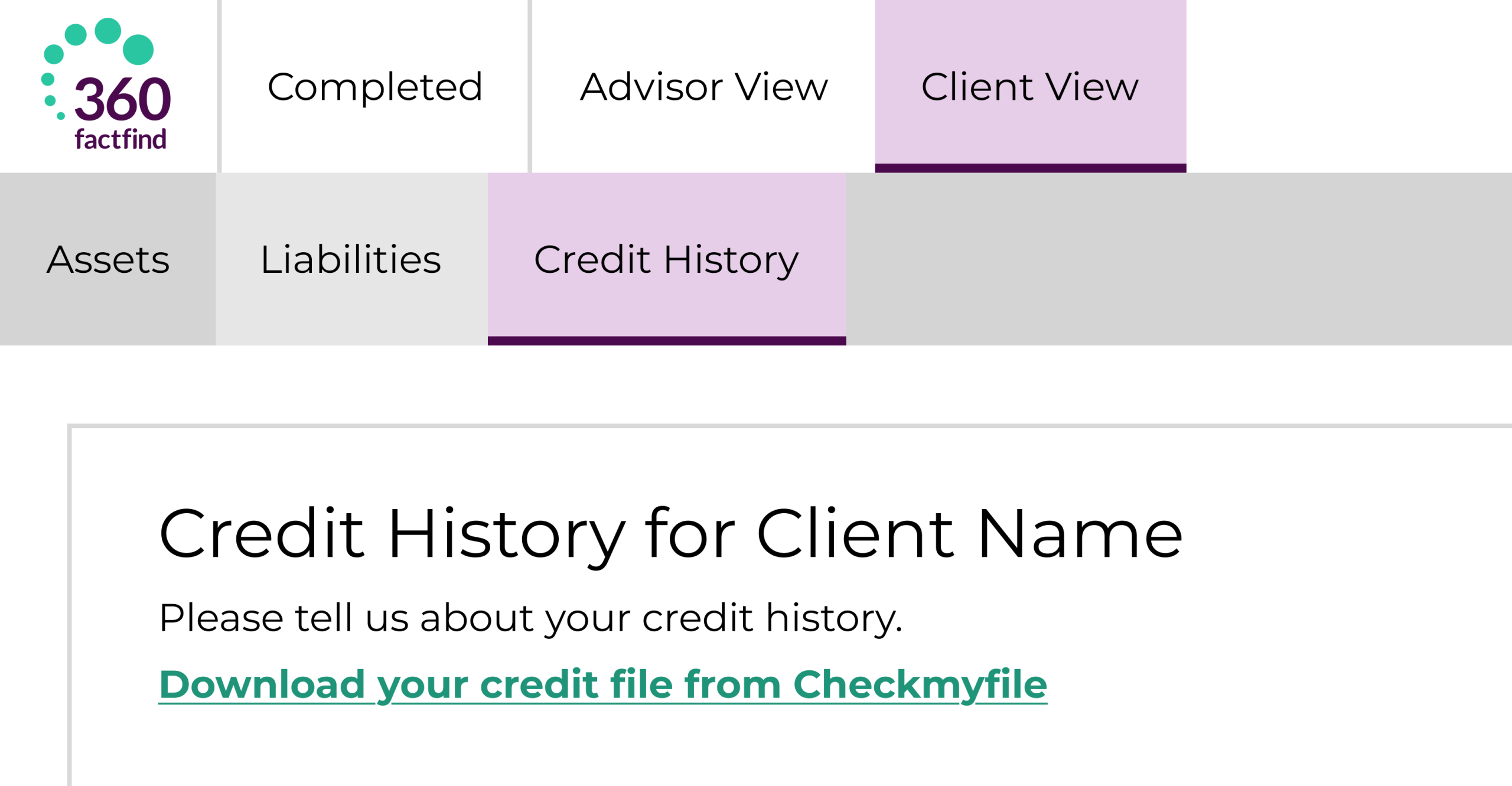
Within the 'Client View’ of the FactFind, click on the ‘Credit History’ page where you will be able to see a green link ‘Download your credit file from Checkmyfile’. If you click the the link you will be redirected to Checkmyfile.

• We have a new credit reporting provider Checkmyfile.
• This ensures clients have access to Experian, Equifax and TransUnion in one place.
• In the online FactFind clients can now download their own credit file and send it to their adviser.


How to:
Within the 'Client View’ of the FactFind, click on the ‘Credit History’ page where you will be able to see a green link ‘Download your credit file from Checkmyfile’. If you click the the link you will be redirected to Checkmyfile.

On the Advisor FactFind if you navigate to the ‘Credit History’ page, on the top line click ‘Download Checkmyfile credit report’ to download a credit report.

Checkmyfile Client View Graphic

This update ensures clients can access a more reliable view of their credit position, drawing data from Experian, Equifax and TransUnion in one place.

This gives advisers a clearer, more detailed picture of a client’s financial history, supporting more accurate assessments and better‑informed advice.

Item counts added to grouped reports

Reports produced in grid view now display item counts when grouped, making it easier to see how many items fall within each group.

Duplication alerts in Campaign Manager

Campaign Manager alerts advisers of duplicate email addresses or mobile numbers within email and SMS campaigns, helping advisers maintain cleaner, more accurate distribution lists.

Workflow configuration locking

Workflow configuration includes a lock preventing multiple users from editing at the same time. If another user has the page open, the message will say the page is locked by another user and it displays their name and shows the date and time they have been on the page since. This prevents users from updating or trying to create two workflow configurations at the same time which causes issues.

Resources

Updating 360 Lifecycle applications

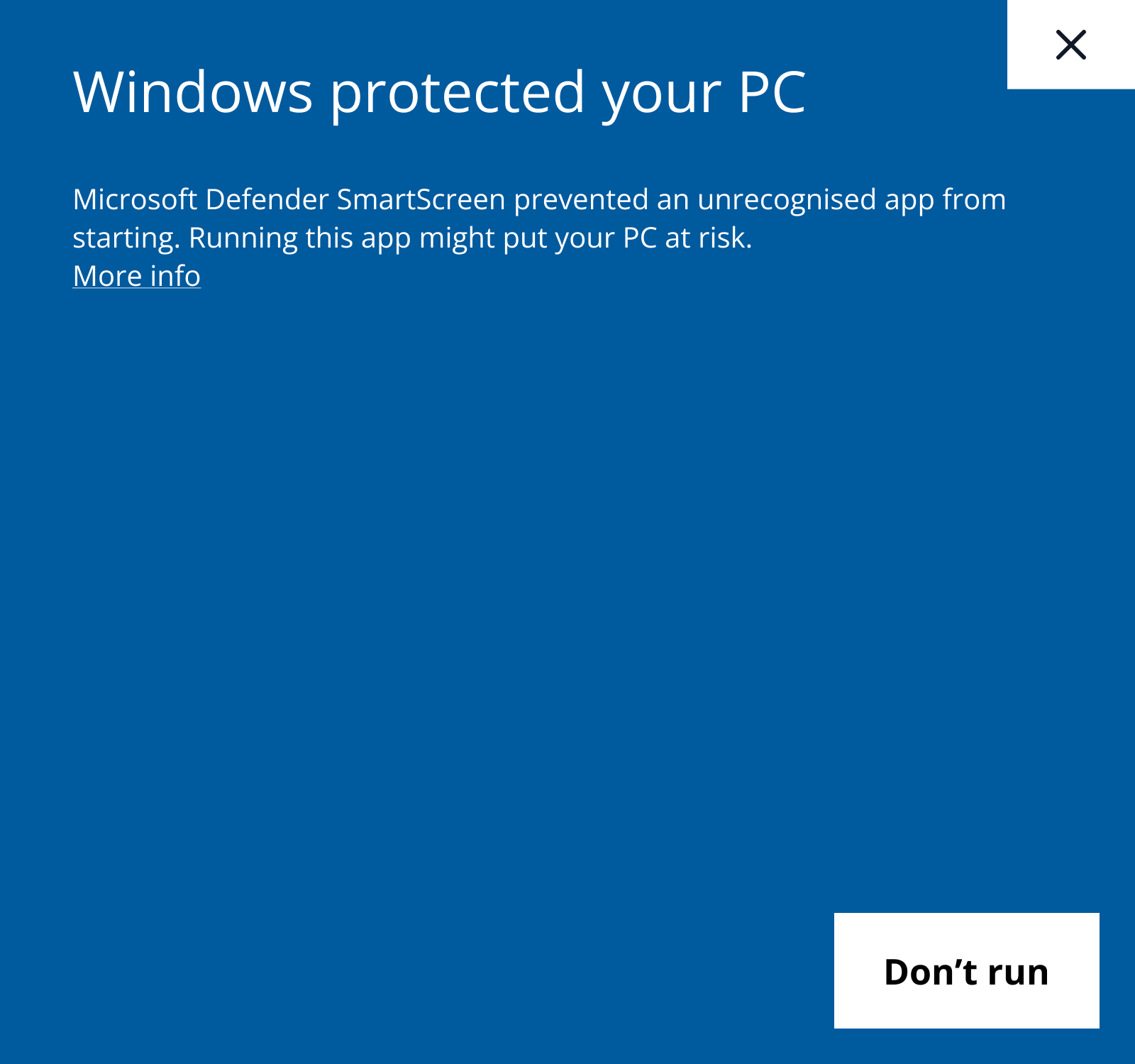
Windows protected your PC 1

1

When there is an update if you open a 360 Lifecycle application, your PC will try and prevent the update. Once ​you see the screen above, simply click 'More info' where you will be presented with screen 2.

Windows protected your PC 2

2

When the screen above is displayed click 'Run anyway'. This allows the update to take place and then you can continue to use 360 Lifecycle. If you do not have 'Run anyway' you will need to contact your local IT team.

Q1 2026 FactFind Enhancements

FF Header

Customised branding

Add your firm’s logo via the brand maintenance section in 360 Office to display your branding within the FactFind.

Submission validation

The ‘Create New Case’ button now stays locked until all mandatory data is entered, ensuring 100% complete submissions.

Auto-population

Required names now auto-populate to save you time and eliminate blank fields.

Streamlined navigation

Collapsible menus, updated search controls, and 'smart-scroll' which returns you to the top of the page after deletions.

Improved Clarity

New hover-to-reveal text for long names and updated button colours for better clarity.

Q4 2025 FactFind Transformation

Modernised layout

We've streamlined margins and updated fields, dropdowns, buttons, date pickers for better page flow.

Enhanced clarity

Fields with errors are highlighted more clearly for quicker resolution, supported by updated validation controls.

Refreshed aesthetics

Section and subsection headers, as well as sticky notes, have been updated for a cleaner appearance, improving your focus.

Updated navigation

FactFind navigation headers have been revamped: 'Sale Data' is now 'Recommendation', and a fourth header, 'FactFind Tools', has been added.

Important Update

The 'Submit FactFind' button has moved!

It is now displayed on the FactFind header at the top of the page, alongside other common actions like 'Convert FactFind' and 'Download PDF'.

Submit FactFind Button

Resources

360 Lifecycle: The NEW modern interface walkthrough – click on the ‘V’ logo to watch this video in full screen

360 Lifecycle: Configurable client FactFind update – click on the ‘V’ logo to watch this video in full screen

A few little extras

Other 360 Lifecycle features

A full end to end client facing FactFind solution for advisers.

Manage clients, appointments and create new opportunities.

Real time reporting, marketing capabilities and a workflow system.

Our portal allows advisers and clients to interact securely.

360 lifecycle accounts logo

Easily administer commissions and organise payments.

A few little extras

Other 360 Lifecycle features

A full end to end client facing FactFind solution for advisers.

Manage clients, appointments and create new opportunities.

Real time reporting, marketing capabilities and a workflow system.

Our portal allows advisers and clients to interact securely.

360 lifecycle accounts logo

Easily administer commissions and organise payments.